
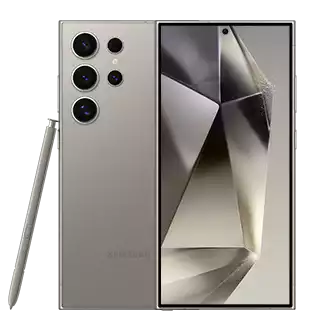
Quick answer: Most Samsung Galaxy phones from the S20 series onward support eSIM. To activate a Simbye eSIM on a Samsung Galaxy, open Settings → Connections → SIM manager → Add eSIM and scan the QR code from the confirmation email. Compatible models include the Galaxy S20, S21, S22, S23, S24 and S25 series, Galaxy Note 20 and Note 20 Ultra, Galaxy Z Fold 2–6, and Galaxy Z Flip and Flip 3–6. A few carrier-locked or region-specific variants ship with eSIM disabled, so the fastest check is to look for the "Add eSIM" option inside SIM manager.
Samsung Galaxy phones have supported eSIM since the Galaxy S20 launched in 2020, and almost every flagship and foldable released since then can run a travel data plan with no plastic SIM card. An eSIM is a small chip already built into the phone, so a Galaxy can download a Simbye plan over Wi-Fi in about two minutes and keep the home SIM in place for calls.
This guide lists every eSIM-compatible Samsung model, walks through activation step by step, explains the dual-SIM setup travelers actually use, and fixes the errors that come up most often. It also flags the regional and carrier exceptions that trip people up — because "my phone is a Galaxy" is not always enough on its own.
Which Samsung Galaxy phones support eSIM?
The table below covers the Galaxy models that support eSIM. Every phone listed also keeps a physical nano-SIM slot, so it runs a physical SIM and an eSIM at the same time (dual-SIM). The right-hand column flags the regional and carrier exceptions worth checking before you buy a plan.
| Series | Models that support eSIM | Notes & exceptions |
|---|---|---|
| Galaxy S25 (2025) | S25, S25+, S25 Ultra | Dual eSIM + nano-SIM on most variants |
| Galaxy S24 (2024) | S24, S24+, S24 Ultra | eSIM + nano-SIM |
| Galaxy S23 (2023) | S23, S23+, S23 Ultra | eSIM + nano-SIM |
| Galaxy S22 (2022) | S22, S22+, S22 Ultra | eSIM + nano-SIM |
| Galaxy S21 (2021) | S21, S21+, S21 Ultra | eSIM + nano-SIM. ⚠️ The S21 FE supports eSIM in most markets but is disabled on some regional/carrier variants — verify in SIM manager |
| Galaxy S20 (2020) | S20, S20+, S20 Ultra | eSIM + nano-SIM. ⚠️ The S20 FE does not support eSIM in several regions (it varies by market) — do not assume the FE works |
| Galaxy Note 20 | Note 20, Note 20 Ultra | eSIM + nano-SIM |
| Galaxy Z Fold | Z Fold 2, 3, 4, 5, 6 | eSIM + nano-SIM (original Fold has no eSIM) |
| Galaxy Z Flip | Z Flip, Flip 3, 4, 5, 6 | eSIM + nano-SIM |
eSIM availability varies by region and carrier. Some carrier-locked or region-specific Galaxy variants ship with eSIM switched off even though the same model number supports it elsewhere — the FE editions of the S20 and S21 are the most common example. The reliable test is to open Settings → Connections → SIM manager: if you see "Add eSIM" or "Add mobile plan", the phone supports it.
Not sure what an eSIM actually is or why it matters for travel? Start with What is an eSIM?
How to activate a Simbye eSIM on Samsung Galaxy
Activation takes about two minutes on Wi-Fi. Do it before you travel — the QR code only needs to be scanned once, and the data starts counting when you arrive and switch the plan on.
- Get an eSIM: Choose a travel plan from Simbye (190+ destinations, from $3). The QR code and activation details arrive instantly by email.
- Open SIM manager: Go to Settings → Connections → SIM manager.
- Add eSIM: Tap Add eSIM (older One UI versions call it "Add mobile plan").
- Scan the QR code: Choose Scan carrier QR code and point the camera at the Simbye QR code from your email.
- Confirm: Tap Add or Confirm to download the eSIM profile.
- Label the plan: Name it "Travel" or your destination so it is easy to find later.
- Set mobile data: Back in SIM manager, set the new eSIM as the preferred SIM for Mobile data, then enable Data roaming for that eSIM.
Prefer screenshots for each step? See the full Samsung eSIM installation guide. If the QR code will not scan, you can also enter the SM-DP+ address by hand — here is how to install an eSIM manually.
Dual-SIM setup for travel (home number + travel data)
Every eSIM-compatible Galaxy runs a physical SIM and an eSIM together. That is the whole point for travelers: keep your home number reachable for calls and bank codes, and put cheap data on the eSIM. The setup most people want looks like this.
- SIM 1 (nano-SIM): Your home number, for calls and SMS. Turn off its mobile data so it cannot rack up roaming charges.
- SIM 2 (eSIM): Your Simbye travel eSIM, set as the data SIM.
To configure it, open Settings → Connections → SIM manager, set Mobile data to the travel eSIM, and set Calls to your home SIM. With that split you stay reachable on your normal number while paying local data prices.
If you want calls and texts on the travel side too, several Simbye destinations include a real local phone number on the eSIM (not a VoIP line) — handy for restaurant bookings, taxis, and SMS verification while abroad.
Samsung vs iPhone eSIM: how they differ
The eSIM standard is the same on both, so a Simbye plan works identically. The differences are in how each phone handles profiles and transfers.
| Feature | Samsung Galaxy | iPhone |
|---|---|---|
| eSIM support since | Galaxy S20 (2020) | iPhone XS (2018) |
| Dual eSIM (two eSIMs active) | Galaxy S25 series | iPhone 13 and newer |
| Where you manage it | SIM manager | Cellular / Mobile settings |
| Transfer to a new phone | Samsung Smart Switch | Quick Transfer |
| Stored eSIM profiles | Several (varies by model) | Several (varies by model) |
On an iPhone instead? Follow the iPhone eSIM setup guide, or read the eSIM vs SIM card comparison for the bigger picture.
Common Samsung eSIM problems and fixes
Most Galaxy eSIM issues fall into three buckets: the phone says eSIM is not supported, the eSIM installed but there is no internet, or the QR code will not scan. Here is what causes each one and how to fix it.
| Problem | Likely cause | Fix |
|---|---|---|
| "eSIM not supported" / no "Add eSIM" option | Carrier-locked or region-specific variant with eSIM disabled (common on S20 FE / S21 FE), or out-of-date software | Install the latest software update, then re-check SIM manager. If it is still missing, the variant is locked — contact the carrier or use a physical SIM |
| eSIM installed but no internet | eSIM not set as the data SIM, or data roaming is off | SIM manager → set the eSIM for Mobile data, then Settings → Connections → Mobile networks → Data roaming = on for that eSIM |
| Still no data after that | Wrong or empty APN | Toggle Airplane mode off/on and restart. If it persists, check the APN settings guide |
| QR code will not scan | No Wi-Fi, dirty lens, or screen glare | Connect to Wi-Fi, clean the camera, or use Enter activation code manually with the SM-DP+ address |
| eSIM disappeared after a reset | Factory reset / Smart Switch did not carry the profile | Re-scan the original QR code. Travel eSIMs can be reinstalled from the same email while the plan is valid |
Still stuck after all of that? Work through the full eSIM troubleshooting guide.
Does eSIM work on Samsung tablets and watches?
Yes — the cellular Galaxy Tab models support eSIM, including the Galaxy Tab S9 5G and Tab S8 5G, so a travel data plan works on a tablet the same way it does on a phone. Galaxy Watch models with LTE also use eSIM, though those are tied to carrier plans rather than travel data. For trips, a Simbye eSIM on the Tab is an easy way to keep a larger screen online without tethering.
Get a Simbye eSIM for your Samsung Galaxy
Once you have confirmed your Galaxy supports eSIM, pick a destination and you will get the QR code by email in seconds. Plans start at $3, cover 190+ destinations, and install in the same SIM manager flow described above. Popular picks for Samsung travelers:
- Europe — 39 countries on one plan, from $3 (guide)
- USA — from $3, 5G included (guide)
- Japan — from $3 (guide)
- Thailand — from $3, Unlimited plans include a real Thai number (guide)
Browse every destination on the full Simbye plans page, or open the Simbye app to manage plans, top up, and check usage on the go.
FAQ
Which Samsung phones support eSIM?
The Galaxy S20, S21, S22, S23, S24 and S25 series, the Galaxy Note 20 and Note 20 Ultra, the Galaxy Z Fold 2 through 6, and the Galaxy Z Flip and Flip 3 through 6 all support eSIM. Every one of them also keeps a nano-SIM slot, so they run a physical SIM and an eSIM together. The S20 FE and S21 FE are the exceptions to watch — eSIM on the FE editions depends on the region and carrier variant.
How do I activate a Simbye eSIM on a Samsung Galaxy?
Open Settings → Connections → SIM manager → Add eSIM, choose "Scan carrier QR code", and scan the QR code from your Simbye confirmation email. Then set the eSIM as your data SIM and turn on data roaming for it. The whole process takes about two minutes on Wi-Fi.
Do the Galaxy S20 FE and S21 FE support eSIM?
It depends on the region. The S21 FE supports eSIM in most markets but is disabled on some carrier-locked variants, and the S20 FE does not support eSIM in several regions at all. Do not assume an FE model works — open SIM manager and look for "Add eSIM" to confirm before buying a plan.
Can I use two SIMs at once on a Samsung Galaxy?
Yes. Every eSIM-compatible Galaxy supports dual-SIM with a physical nano-SIM plus an eSIM. The common travel setup is your home number on the physical SIM for calls and texts, and a Simbye travel eSIM as the data SIM, configured in SIM manager.
Why does my Samsung say "eSIM not supported"?
Usually the phone is a carrier-locked or region-specific variant that shipped with eSIM disabled — the FE editions of the S20 and S21 are the most common case — or it needs a software update. Install the latest update and re-check SIM manager. If "Add eSIM" still does not appear, the variant is locked and you will need a physical SIM or a different device.
Can I transfer my eSIM to a new Samsung phone?
Yes. Samsung Smart Switch can move an eSIM profile during the new phone's setup. If the transfer does not carry it over, delete the eSIM from the old phone and re-scan the QR code on the new one. A travel eSIM can be reinstalled from the same email as long as the plan is still valid.
Does eSIM work on Samsung tablets?
Yes, on the cellular models. The Galaxy Tab S9 5G and Tab S8 5G support eSIM, so you can run a Simbye travel data plan on the tablet exactly as you would on a phone — no tethering needed.
How much does a Simbye eSIM for Samsung cost?
Plans start at $3 and cover 190+ destinations. Pricing depends on the destination and how much data you need; some destinations also offer Unlimited plans, and a few include a real local phone number on the eSIM. You receive the QR code by email instantly after purchase.
Related guides:
Comments (0)
Leave a Comment