
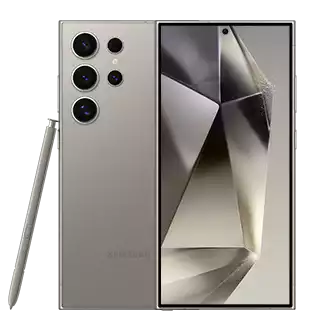
Samsung Galaxy phones have supported eSIM since the Galaxy S20 series in 2020, and the technology has only gotten better. Whether you own a Galaxy S25, S24, S23, or an older model, this guide covers everything about eSIM on Samsung: compatible models, how to install, dual-SIM setup, and troubleshooting.
Samsung eSIM Compatible Models (Complete List)
| Series | Models | eSIM Type |
|---|---|---|
| Galaxy S25 (2025) | S25, S25+, S25 Ultra | Dual eSIM + nano-SIM |
| Galaxy S24 (2024) | S24, S24+, S24 Ultra | eSIM + nano-SIM |
| Galaxy S23 (2023) | S23, S23+, S23 Ultra | eSIM + nano-SIM |
| Galaxy S22 (2022) | S22, S22+, S22 Ultra | eSIM + nano-SIM |
| Galaxy S21 (2021) | S21, S21+, S21 Ultra, S21 FE | eSIM + nano-SIM |
| Galaxy S20 (2020) | S20, S20+, S20 Ultra, S20 FE | eSIM + nano-SIM |
| Galaxy Z Fold | Fold 2, 3, 4, 5, 6 | eSIM + nano-SIM |
| Galaxy Z Flip | Flip 3, 4, 5, 6 | eSIM + nano-SIM |
| Galaxy Note | Note 20, Note 20 Ultra | eSIM + nano-SIM |
| Galaxy A | A54 5G, A55 5G | eSIM + nano-SIM |
Note: eSIM availability varies by region and carrier. Some carrier-locked models may have eSIM disabled. Check Settings → Connections → SIM Manager to verify.
How to Install an eSIM on Samsung Galaxy
- Purchase an eSIM: Get a travel eSIM from Simbye (190+ countries, from $3) — you'll receive a QR code instantly via email
- Open Settings: Go to Settings → Connections → SIM Manager
- Add eSIM: Tap "Add eSIM" or "Add Mobile Plan"
- Scan QR Code: Select "Scan carrier QR code" and point your camera at the Simbye QR code
- Confirm: Tap "Add" or "Confirm" to download the eSIM profile
- Label your plan: Name it "Travel" or your destination country
- Set as mobile data: In SIM Manager, set the eSIM as your preferred SIM for "Mobile Data"
Step-by-step with screenshots: Samsung eSIM Installation Guide
Dual-SIM Setup for Travel
All eSIM-compatible Samsung phones support dual-SIM (physical SIM + eSIM). The ideal travel setup:
- SIM 1 (nano-SIM): Your home number for calls and texts
- SIM 2 (eSIM): Your Simbye travel eSIM for affordable data
Configure in Settings → Connections → SIM Manager → set "Mobile Data" to your travel eSIM and "Calls" to your home SIM.
Samsung vs iPhone eSIM: Key Differences
| Feature | Samsung Galaxy | iPhone |
|---|---|---|
| eSIM support since | Galaxy S20 (2020) | iPhone XS (2018) |
| Dual eSIM (no physical SIM) | Galaxy S25 series | iPhone 13 and newer |
| eSIM transfer between devices | Via Samsung Smart Switch | Via Quick Transfer |
| Max stored profiles | 5-8 (varies by model) | 8+ |
| One UI interface | SIM Manager | Cellular settings |
More details: eSIM vs SIM Card comparison
Troubleshooting Samsung eSIM Issues
"eSIM Not Supported" Message
- Your model might be carrier-locked with eSIM disabled — contact your carrier
- Some regions don't ship with eSIM enabled — check for a software update
- Verify your model supports eSIM in the compatibility table above
No Internet After Installing eSIM
- Go to Settings → Connections → SIM Manager → ensure the eSIM is set for "Mobile Data"
- Enable "Data Roaming" for the eSIM: Settings → Connections → Mobile Networks → Data Roaming
- Toggle Airplane Mode on/off
- Restart your phone
- Check APN settings: APN Guide
eSIM QR Code Not Scanning
- Ensure your phone is connected to WiFi
- Clean your camera lens
- Try manual entry: In "Add eSIM", select "Enter activation code manually" and type the SM-DP+ address (SM-DP+ guide)
Full troubleshooting: Why Is My eSIM Not Working?
Best eSIM Plans for Samsung Users
- Europe — 39 countries from $3 (guide)
- Japan — from $3 (guide)
- USA — from $3, 5G included (guide)
- Thailand — from $3 (guide)
Try the free 100MB trial eSIM to test before buying.
FAQ
Does the Galaxy A series support eSIM?
Only select A-series models (A54 5G, A55 5G). Most budget A-series phones do not support eSIM. Check Settings → Connections → SIM Manager — if you see "Add eSIM", your phone supports it.
Can I transfer my eSIM to a new Samsung phone?
Yes, using Samsung Smart Switch during phone setup. The eSIM profile transfers to your new device. Alternatively, you can delete the eSIM from your old phone and re-scan the QR code on the new one.
Does eSIM work on Samsung tablets?
Yes, the Galaxy Tab S9 5G and Tab S8 5G support eSIM. Perfect for staying connected with a travel data plan on your tablet.
Related:
Comments (0)
Leave a Comment