












 United Kingdom from 21,95€
 Turkey from 31,95€


 +1
 +44
 +31
 +61
 +55
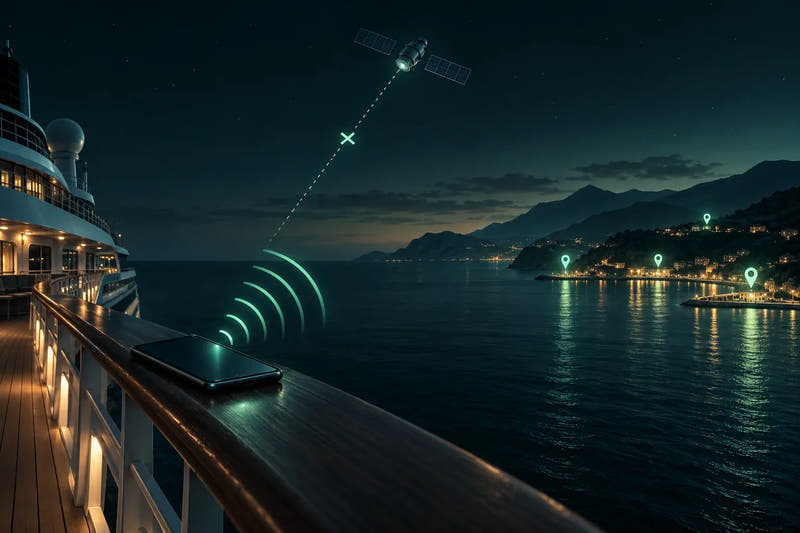
A cruise mixes two very different kinds of day: sea days, when your phone may drift onto the ship's own network, and port days, when normal land networks are back. This guide is for anyone who wants to stay reachable on a cruise without a surprise roaming bill. You will know what '901' means, how to set your phone for each kind of day, and which Simbye eSIM covers which ports.
Does an eSIM work on a cruise ship at sea?
In port, yes: a travel eSIM connects to the land networks of the countries it covers. At sea, phones can connect to the ship's own satellite network instead, and that is a different story.
Cellular at Sea, a maritime network used on many ships, starts working once the ship is in international waters. Calls, texts and data then travel by satellite from the ship to land, and phones show 'Cellular at Sea' or '901' as the network name (Cellular at Sea). Service can drop for a while as the ship enters or leaves port and during satellite outages.
Your home operator bills a connection at sea under the international roaming terms of your plan, as it would in a foreign country (Cellular at Sea FAQ). How far from land this starts depends on the ship, the coast and the route. Verizon counts 'at sea' from 12 miles out, but that figure is only for Verizon's own billing, not a general rule for when the land signal ends (Verizon).
Simbye eSIMs are made for land networks in port. At sea, use ship Wi-Fi. Simbye eSIMs are prepaid, with no contract, so nothing is billed to you afterwards. The line that can cost money at sea is your home SIM, which is why the settings below matter.
What is the '901' or 'Cellular at Sea' network, and why is it so expensive?
'901' and 'Cellular at Sea' are the names of a maritime network on many cruise ships. AT&T describes the ship's cellular service as 'always considered international roaming and is quite expensive', and says it is usually the most expensive way to call or use data (AT&T cruise page).
The ship network is a satellite link, so operators treat it like a foreign country. Cellular at Sea says it runs on 210+ cruise ships across 25+ cruise lines; that is the company's own claim (FAQ). Cruise Critic notes that it is 'not usually included in your roaming package' (Cruise Critic).
This table shows what four home operators list for the ship network. It is here to show what is at risk, not what Simbye charges.
| Operator | Data on the ship | Calls and texts on the ship | Source |
|---|---|---|---|
| Verizon (US) | Cruise Daily Pass: $20 per line per day, 0.5 GB high speed, then 3G. Without the pass: no data | Without the pass: calls $1.99/min, sent texts $0.50, received texts $0.05 | Verizon cruise page |
| AT&T (US) | International Day Pass: $20/day at sea, 500 MB, speed may drop to 512 kbps on certain ships | Per pass terms | AT&T Day Pass |
| T-Mobile US (prepaid) | Not listed | $5.99/min listed for 'Cruise Ship' | T-Mobile prepaid roaming |
| EE (UK) | ✗ No data, no roaming passes for ships | £3.52/min to make or receive calls, 86p per text | EE maritime page |
Rates change. Check your own operator before you sail.
Other ships may use other maritime providers, with other network names. If you see an unfamiliar network while at sea, assume it is the ship network.
Does my roaming pass or day pass cover the ship?
Usually not by default. EE, for example, offers no roaming passes for 'Maritime, Ships, Ferries and Cruises' (see the table above and EE).
Verizon and AT&T sell cruise passes at an extra daily cost with small data allowances (see the table above). Verizon's pass day starts with any use on board, including background data, and if you leave the ship during a pass session you pay the normal rates of the country you visit (Verizon). AT&T charges $12/day for land only against $20/day with sea included, and says its pass covers 400+ cruise ships (AT&T). That count is AT&T's own and differs from the Cellular at Sea figure above.
Do not assume that a spending cap or a land roaming pass protects you at sea. Ask your operator before you sail. Roaming on the home contract is expensive at sea, so keep the home line away from the ship network.
How should I set up my phone on sea days?
On sea days, keep both lines off the cellular network. Either use Airplane Mode with Wi-Fi switched back on, or turn the home line off and switch data roaming off for the travel eSIM (or turn that line off too), then use ship Wi-Fi for messengers.
Cruise Critic advises keeping Airplane Mode on if you only want ship Wi-Fi (Cruise Critic), and Cellular at Sea needs Airplane Mode off to connect (Cellular at Sea).
Sea-day routine
- Switch off home data roaming. Do this on the home line before the ship leaves port.
- Pause the travel eSIM. Switch data roaming off for the travel eSIM, or turn that line off, until the next port.
- Turn the home line off, or use Airplane Mode. On iPhone: Settings > Mobile/Cellular > your home line > Turn On This Line off. On Android: SIM manager > home SIM off.
- Bring Wi-Fi back. If you chose Airplane Mode, switch Wi-Fi on again and connect to the ship Wi-Fi.
- Check Wi-Fi Calling. Some operators charge for it abroad. EE tells customers to turn it off, so ask your operator.
- Read the network name. If the phone shows 'Cellular at Sea' or '901', a line is on the ship network. Switch that line off.
- Use messengers. Calls and chats go over ship Wi-Fi.
How should I set up my phone on port days?
In port, switch data roaming on for the travel eSIM only, keep it as your mobile data line, and leave data roaming off on the home line. If no network appears, select one manually.
Wait until the ship is docked. Service on the ship network can drop as the vessel enters port, and you want your phone on the land network, not the ship's.
Port-day routine
- Wait for docking. Start once the ship is docked.
- Turn Airplane Mode off. Keep Wi-Fi on or off as you like.
- Turn on the travel eSIM. Switch the travel line on, set it as the mobile data line and switch data roaming on for the travel eSIM only.
- Turn the home line back on. This lets texts and bank codes arrive. Keep its data roaming off.
- No signal after a few minutes? Turn off automatic network selection, wait 1–2 minutes for the list, and try each network for 2 minutes, for example FLOW in Barbados or St Lucia with the Caribbean eSIM.
- Before the ship sails, go back to the sea-day routine.
Networks to pick manually, as listed on the product pages: Caribbean eSIM: FLOW, C&W in Jamaica, Liberty in Puerto Rico and Claro in the Dominican Republic; Europe and Worldwide eSIMs: Orange Holiday Europe and Orange Worldwide, with no APN to set.
For the general question of when to switch mobile data off or leave it on, see Mobile data abroad: turn off, leave on, or use an eSIM?
Is there one eSIM that covers every port on my cruise?
For many routes, yes. The Caribbean eSIM covers most Eastern and Southern Caribbean islands, the Europe eSIM covers the main western Mediterranean ports (not Monaco) and the Canary Islands, and the Worldwide eSIM adds Monaco, Montenegro, Slovenia, Turkey, Morocco, Egypt, Jordan, Saudi Arabia, Qatar and the UAE. A Western Caribbean route with Mexico, Belize and the Bahamas cannot be covered by one of these three.
Travellers ask us for one card that covers all destinations on their cruise. The table shows where that works. A country on a product's coverage list is covered; a country that is not on it is not.
| Route (example ports) | Caribbean eSIM | Europe eSIM | Worldwide eSIM | Gaps to plan for |
|---|---|---|---|---|
| Eastern/Southern Caribbean (San Juan, St Kitts, Antigua, St Lucia, Barbados, Grenada, Dominica, Tortola, Grand Turk, Dominican Republic) | ✓ All listed | ✗ | Partly (Puerto Rico, Dominican Republic, Guadeloupe) | US Virgin Islands are on none of the three. Martinique and Saint Martin are only on Worldwide. |
| Western Caribbean (Cozumel, Costa Maya, Roatán, Belize, Grand Cayman, Ocho Rios/Falmouth, Bahamas) | Partly (Cayman Islands, Jamaica) | ✗ | Partly (Mexico, Honduras) | ✗ No single eSIM. Belize and the Bahamas are on none: combine eSIMs or use ship Wi-Fi. |
| Western Mediterranean (Barcelona, Palma, Marseille, Genoa, Civitavecchia, Naples, Valletta, Gibraltar) | ✗ | ✓ | ✓ | Monaco is only on Worldwide. |
| Eastern Mediterranean and Adriatic (Venice, Split, Dubrovnik, Kotor, Koper, Corfu, Athens, Santorini, Kuşadası, Istanbul) | ✗ | Partly (Italy, Croatia, Greece) | ✓ | Montenegro, Slovenia and Turkey are only on Worldwide. |
| Canary Islands and Madeira (Las Palmas, Tenerife, Lanzarote, Funchal) with Morocco (Agadir, Casablanca) | ✗ |
✓ Spain incl. Canary Islands, Portugal incl. Madeira ✗ Morocco |
✓ Incl. Morocco | Morocco needs Worldwide. |
| Red Sea (Safaga/Hurghada, Sharm el-Sheikh, Aqaba, Jeddah) | ✗ | ✗ | ✓ Egypt, Jordan, Saudi Arabia | – |
| Gulf (Dubai, Abu Dhabi, Doha, Muscat, Khasab, Manama) | ✗ | ✗ | Partly (UAE, Qatar) | Oman is on none of the three. Bahrain has its own eSIM. |
Compare your itinerary port by port with the coverage list on the product page. The Caribbean list does not include the Bahamas, Belize, Aruba, the US Virgin Islands, Haiti or Cuba. It also has an entry called 'Netherlands Antilles' that is unclear today, so do not count it for Curaçao, Bonaire or Sint Maarten.
For a mixed Western Caribbean route, use the Caribbean eSIM for Jamaica and the Cayman Islands. Add the Mexico eSIM for Cozumel and Costa Maya, from 3,95€. It runs on Telcel, AT&T Mexico and Movistar Mexico. For Roatán, add the Honduras eSIM on Claro, from 3,95€. Alternatively, the Worldwide eSIM covers Mexico and Honduras in one plan, but not Jamaica or the Cayman Islands.
On a Gulf route, the Bahrain eSIM runs on STC Bahrain, from 2,95€. It is data only. Oman is on none of the three lists, so do not count on Muscat or Khasab, and check the other products in the app.
Simbye's app also offers Build Your Own eSIM, which puts several countries into one plan. Check your ports there: App Store · Google Play.
See the Worldwide eSIMSee the Caribbean eSIM
How do I keep my home number reachable without paying ship rates?
Leave the home SIM on in port with its data roaming off, so texts and bank codes arrive. Turn the home line off at sea and use messengers over ship Wi-Fi. The Europe and Worldwide eSIMs add a French +33 number for calls in port.
Texts sent to your usual number still arrive on your home SIM, not on the travel eSIM. So keep the home SIM active in port, switch off its data roaming, and let your internet run on the eSIM. Any SMS costs in port follow your home operator's roaming terms for that country, so check them before you go.
At sea, the home line can join the ship network, and calls and texts may be charged. Turn that line off or use Airplane Mode. Plan bank logins and SMS codes for port days, and see Receiving bank SMS codes abroad.
Messenger calls over ship Wi-Fi cost nothing extra beyond the Wi-Fi package itself. For setup tips, read Using WhatsApp abroad.
Simbye's Europe and Worldwide eSIMs include calls and texts with a +33 (France) number. The Worldwide plans include 15, 30 or 60 international minutes and 50 texts, depending on the plan. People who call a +33 number pay for an international call, so tell family in advance.
Ship Wi-Fi or travel eSIM: what is better for port days?
For time ashore, a travel eSIM on land networks is the practical choice, because ship Wi-Fi ends at the gangway. At sea, ship Wi-Fi is the only option worth using.
Ship Wi-Fi packages and prices differ by cruise line and ship and change often, so check with your cruise line before you book.
A Simbye eSIM is prepaid, with no contract and no ID upload. It arrives by email within minutes with a QR code and an install link, and it also appears in the Simbye app. Install it at home over Wi-Fi before boarding.
- Caribbean eSIM: from 8,95€ for 1GB 7 Days, or 5GB 30 Days at 34,95€. It is a data plan, and for most data plans validity starts when the eSIM first connects to a network at the destination. Check the product page for details.
- Europe eSIM: 20GB 30 Days at 29,95€, with a +33 number for calls and texts.
- Worldwide eSIM: from 31,95€ for 20 GB 30 Days, with a +33 number for calls and texts.
Hotspot is allowed on the Europe and Worldwide eSIMs, so you can share data with a cabin mate ashore. To estimate what a port day needs, see How much data do I need when traveling? Simbye also pays 5% cashback into your Simbye wallet on purchases.
eSIM on a cruise ship: frequently asked questions
Why does my phone show '901' or 'Cellular at Sea' on a cruise?
These are names of a maritime network on many cruise ships. Calls, texts and data go by satellite, and your home operator bills them under its international roaming terms. Check your operator's rates before you sail.
Can I use ship Wi-Fi while my phone is in Airplane Mode?
Yes. Switch Airplane Mode on, then switch Wi-Fi back on and connect to the ship Wi-Fi. Cruise Critic advises Airplane Mode if you only want ship Wi-Fi.
Will a prepaid travel eSIM leave me with a bill if it connects at sea?
A prepaid Simbye eSIM has no contract, so nothing is billed to you afterwards. Your home SIM is the line that can be charged, so turn it off at sea.
Should I install my travel eSIM before boarding the ship?
Yes. Install it at home over Wi-Fi, where the QR code is easy to scan. Keep the travel line switched off until the first port, then follow the port-day routine.
Does the Europe eSIM work on a Canary Islands cruise?
Simbye's Europe eSIM lists Spain, which includes the Canary Islands, and Portugal, which includes Madeira. Morocco is not on the Europe list, so for Agadir or Casablanca you need the Worldwide eSIM.
Can I share eSIM data with my travel partner in port?
Hotspot is allowed on the Europe and Worldwide eSIMs. For any other eSIM, check the product page of the plan you choose.
Does Wi-Fi Calling cost extra on ship Wi-Fi?
It depends on your operator. EE tells customers to turn off Wi-Fi Calling at sea to avoid extra charges, and other operators have their own rules. Ask yours before you sail.



Comments (0)
Leave a Comment