


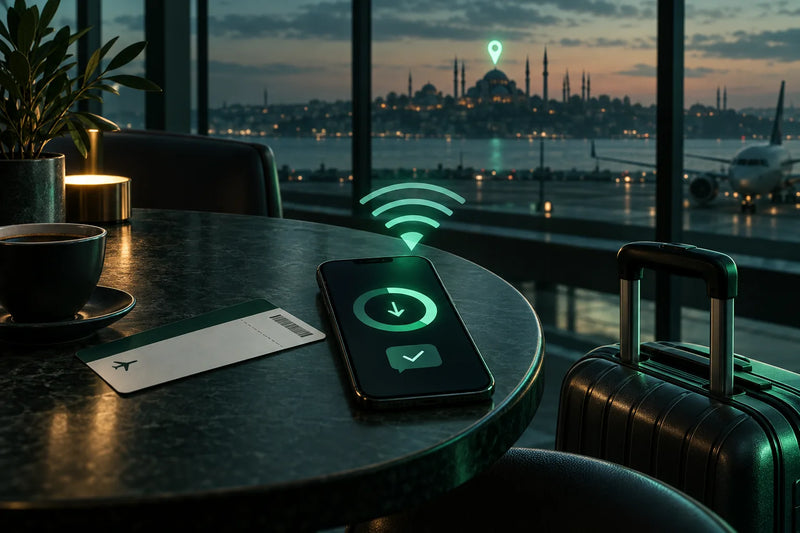
You have landed, your home SIM is switched off or too expensive, and you have no mobile data. This guide is for you if you are in Turkey, Egypt, Morocco, Albania or anywhere else and want to set up a travel eSIM without a second phone. You will know where to find a connection, how to install without scanning a QR code, which line should carry data and what to do if something fails.
Can you still buy and install a travel eSIM after you've landed?
Yes, you can. You can buy a Simbye eSIM online from anywhere, including your hotel room or the arrivals hall, and install it on the phone you are holding. You only need a Wi-Fi connection or a hotspot for a few minutes and an unlocked phone. You do not need a second device.
After payment, the eSIM arrives by email within minutes with an install link and a QR code. It also appears in the Simbye app. There is no contract, no subscription and no ID upload.
Apple Support says an iPhone must be on Wi-Fi or a hotspot to set up a travel eSIM. In some countries, eSIM-only iPhones can activate without Wi-Fi, but do not rely on that. Apple also says the phone must not be carrier-locked. Simbye's Turkey eSIM connects to Türk Telekom, Vodafone and Turkcell, with plans from 1,95€. We hear this question often from travellers who are already in Turkey or Albania.
When does the validity start if you install the eSIM on hotel Wi-Fi?
On most data plans, the validity starts when the eSIM first connects to a mobile network at the destination. If you are already there, that is usually right after you install it and switch it on. The product page of each plan has the details, so check it before you buy.
A typical question from the support chat: 'I'm already in Turkey on hotel Wi-Fi. When does my 7-day validity begin?' The answer: on most data plans the 7 days start when the eSIM first connects to a network in Turkey, so if you install and switch it on there, the clock usually starts then.
Because you are installing on arrival, choose the plan by the length of your stay. A short city break may fit the 1 GB plan for 7 days (1,95€). A longer trip needs a plan whose validity covers it, such as 5 GB for 30 days (5,95€). For sizing, read how much data you need when travelling.
Do you need Wi-Fi to install an eSIM, and where do you find it right after landing?
Yes. The eSIM profile downloads over the internet, so you need Wi-Fi or a hotspot for a few minutes. Apple confirms this for iPhone, and a travel companion's personal hotspot counts as a connection.
- Airport Wi-Fi. Most large airports offer Wi-Fi. It is often time-limited and sometimes needs an SMS or passport login, so check the airport's official website.
- Hotel or café Wi-Fi. Often the easiest option, and you only need the connection for a few minutes.
- A companion's hotspot. Ask someone you travel with to switch on their personal hotspot while your eSIM downloads.
At Istanbul Airport (IST), the official FAQ says you get one hour of free Wi-Fi, accessed by SMS or with your passport number. At Istanbul Sabiha Gökçen (SAW), free Wi-Fi is available and time limits may apply; see the airport FAQ. For Antalya, Cairo, Hurghada, Marrakech, Casablanca or Tirana, use the same rule and check the airport's official site.
How do you scan the QR code when it's on the same phone?
You don't have to scan it. On a phone with only one screen you can tap the install link in the email, install from the Simbye app, or type the SM-DP+ address and activation code manually. Apple lists all of these besides the QR code: a provider link, a provider app, manual entry and transfer from another device.
The QR code and the install details are already in your confirmation email. If the app will not download, use the email.
| Method | Same phone? | What you need | Where to find it |
|---|---|---|---|
| Install link from the Simbye email | ✓ | iPhone with iOS 17.4 or later, Wi-Fi | Tap link > Allow > Continue (Apple Support) |
| Simbye app | ✓ | App installed, Wi-Fi | The eSIM appears in the app (Simbye app) |
| Manual entry (SM-DP+ address + activation code) | ✓ | Codes from the email, Wi-Fi | iPhone: Settings > Cellular > Add Cellular Plan > Enter Details Manually. Samsung: Settings > Connections > SIM manager > Add eSIM > Scan QR code > Enter activation code |
| QR code scan | ✗ needs a second screen or a printout | Second device showing the code, Wi-Fi | Camera or Add Cellular Plan |
iPhone link method: on iOS 17.4 or later, tap the link, tap Allow on the 'Activate New eSIM' notification, then tap Continue. In the iPhone menu, 'Cellular' may be called 'Mobile Data' in your region.
Samsung: the path above is the one Samsung Support gives. Menu names can differ by One UI version and region.
Pixel and other Android phones: open Settings > Network & internet > SIMs, add a new eSIM, then choose the option to enter the code manually. Labels vary by phone and software version. For the codes themselves, read how to install an eSIM manually with the SM-DP+ address.
How to install a travel eSIM after you land: step by step
Check that your phone is unlocked, get on Wi-Fi, buy the eSIM and install it. Then make it your data line with data roaming on for the travel eSIM only. Here is the full flow:
- Check that your phone is unlocked. On iPhone, open Settings > General > About and look for 'No SIM Restrictions' next to Carrier Lock. On Android, check with your carrier or in the phone's settings.
- Get online. Use airport Wi-Fi (Istanbul Airport: one hour via SMS or passport number per the official FAQ), hotel or café Wi-Fi, or a companion's hotspot. If the SMS login fails, use the passport option or another network.
- Buy the eSIM for your destination. For example the Turkey eSIM from 1,95€. The email with install link and QR code arrives within minutes, and the eSIM appears in the Simbye app.
- Install it on the same phone. Tap the install link (iPhone with iOS 17.4 or later: Allow > Continue), install from the Simbye app, or enter the SM-DP+ address and activation code manually.
- Choose the travel eSIM for mobile data. iPhone: Settings > Cellular > Cellular Data. Samsung: SIM manager > Mobile data.
- Turn on data roaming for the travel eSIM line only. Leave data roaming off on your home line.
- Test it. Turn Wi-Fi off, open a website or send a WhatsApp message. There is no APN to set.
Get the Turkey eSIMOther destinations
Which line should carry data, and will your home SIM still charge roaming?
Set the travel eSIM as your mobile data line and keep data roaming off on your home line. Your home number stays in the phone for calls and SMS. What incoming calls or texts cost abroad depends on your home carrier, so do not assume they are costless.
Apple says that with iOS 26 or later, an iPhone might show 'Turn On Travel eSIM' when you arrive. You can then choose 'Travel eSIM Only' or 'Travel eSIM and Current eSIM'. Apple says it might appear, so do not count on it. If you keep both lines on, the travel eSIM carries data, but Apple warns you might still incur roaming fees from your home line.
You can always choose the data line manually: on iPhone under Settings > Cellular > Cellular Data, on Samsung in the SIM manager under Mobile data. With only the travel eSIM switched on, iMessage and FaceTime keep working on your home number (Apple Support).
Simbye's data eSIMs for Turkey, Egypt, Morocco and Albania do not include calls and texts. WhatsApp calls run over the data, and your own number stays in the phone and stays reachable.
Is buying an eSIM online after arrival easier than a local SIM at the airport?
Usually yes for short trips. A local SIM at an airport counter or shop may require your passport, while a Simbye eSIM is bought online with no ID upload and no queue. Apple notes the same for local carrier eSIMs bought in person after arrival.
| Question | Simbye eSIM online | Local SIM at the counter |
|---|---|---|
| Passport needed | No, no ID upload | Yes in Morocco and Albania |
| Queue at the airport | No queue, bought online | Often |
| Local phone number | No, data only | Yes |
| Setup | Wi-Fi + email link | At the counter |
| IMEI registration in Turkey | Not needed for the data-only eSIM | Needed for a Turkish SIM after roughly 120 days |
In Morocco, every SIM bought locally must be registered to a person, and your passport is copied or scanned. In Albania, local SIMs are only sold against a passport, as required by law.
Turkey blocks phones that use a Turkish SIM with a Turkish number and are not registered after roughly 120 days. Simbye's Turkey eSIM is data only without a Turkish number, so there is no IMEI registration, no device sign-up and no fee. For more on this, see our Turkey eSIM guide with Istanbul Airport tips.
In Egypt, the 90-day handset rule is tied to an Egyptian SIM. Travelling on a foreign data connection does not trigger it under the published rules. If you stay longer, check the current rules.
There is one honest trade-off: Simbye's data eSIMs have no local number. If you need a local number for regular calls, a local SIM is the right route.
Does this work in Egypt, Morocco, Albania and other countries?
Yes, the same after-arrival flow works in all 190+ countries Simbye covers. Only the local networks and a few country rules differ. All four eSIMs below are data only, need no APN setting and allow hotspot use.
| Country | Networks | Plans from | Good to know |
|---|---|---|---|
| Turkey eSIM | Türk Telekom, Vodafone, Turkcell | 1,95€ | No IMEI registration for the data-only eSIM |
| Egypt eSIM | Orange, Etisalat, Vodafone | 2,95€ | App calls are blocked by carriers |
| Morocco eSIM | Maroc Telecom (IAM), Inwi | 2,95€ | WhatsApp calls work today |
| Albania eSIM | One, Vodafone | 1,95€ | No passport registration needed |
Egypt: Egyptian carriers block voice and video calls over WhatsApp, FaceTime, Skype and Messenger. Chats, photos and voice notes work normally. Simbye does not promise a workaround.
Morocco: WhatsApp calls work. The block imposed in January 2016 was lifted in November 2016, but because the rule changed once, there is no guarantee for the future.
Albania: in most home contracts Albania sits in the most expensive foreign zone, billed as a daily or weekly pass or per megabyte. Simbye's Albania eSIM is prepaid, so nothing is added to your bill afterwards. For other destinations, see all Simbye eSIMs.
What if the eSIM won't install or won't connect?
Most failures come from a carrier-locked phone, no internet during the download, or data roaming switched off on the travel eSIM line. Check these three before anything else.
- Carrier lock. On iPhone, open Settings > General > About. An unlocked phone shows 'No SIM Restrictions' next to Carrier Lock.
- eSIM support. Make sure your phone supports eSIM: see the list of eSIM-compatible devices.
- Stable Wi-Fi. Stay connected during the download. Hotel portals that log you out can interrupt it.
- After installing. Select the travel eSIM for mobile data and turn data roaming on for that line.
Before you delete or reinstall the eSIM, check that the travel line is switched on and that data roaming is on for it. If it still will not connect, contact us first. Our eSIM not working? Troubleshooting guide goes through the common causes, and you can reach us at Contact us.
| Check | Why it matters | Done |
|---|---|---|
| Phone unlocked ('No SIM Restrictions' on iPhone) | Locked phones can't use another carrier's eSIM | ✓ |
| Wi-Fi or hotspot connected | The profile downloads over the internet | ✓ |
| Install details from the email at hand | Link, QR code and manual codes are all in it | ✓ |
| Travel eSIM set as mobile data line | So data runs over the travel eSIM | ✓ |
| Data roaming ON for the travel eSIM only | The travel eSIM is a guest on local networks | ✓ |
| Data roaming OFF for the home line | Avoids home roaming charges | ✓ |
Installing an eSIM after arrival: frequently asked questions
Can I use a friend's hotspot to install the eSIM?
Yes. Apple says an iPhone needs Wi-Fi or a hotspot to set up a travel eSIM, so a companion's personal hotspot works for the few minutes the download takes.
I can't download the Simbye app. How do I get the install details?
The confirmation email already contains the install link, the QR code and the details for manual entry, so you can install without the app. If the email is missing, contact us via Contact us.
Do I have to register my phone's IMEI in Turkey if I use the eSIM?
No. Simbye's Turkey eSIM is data only without a Turkish number, so there is no IMEI registration, no device sign-up and no fee. The registration rule applies to phones used with a Turkish SIM and number.
Can I buy an eSIM for one country while I'm in another country?
Yes. You can buy online from anywhere and install it in advance over Wi-Fi. On most data plans the validity starts when the eSIM first connects to a network at the destination, so check the product page.
Will my home number still receive calls and SMS?
Yes, your home line stays in the phone and stays reachable. What incoming calls and texts cost abroad depends on your home carrier, so keep data roaming off on that line.
Can I make WhatsApp calls with the eSIM in Egypt?
Egyptian carriers block voice and video calls over WhatsApp, FaceTime, Skype and Messenger. Chats, photos and voice notes work normally, and no eSIM changes that.
Do I need to change the APN after installing?
No. Simbye's Turkey, Egypt, Morocco and Albania eSIMs bring their settings with them, so there is nothing to set.

Comments (0)
Leave a Comment