


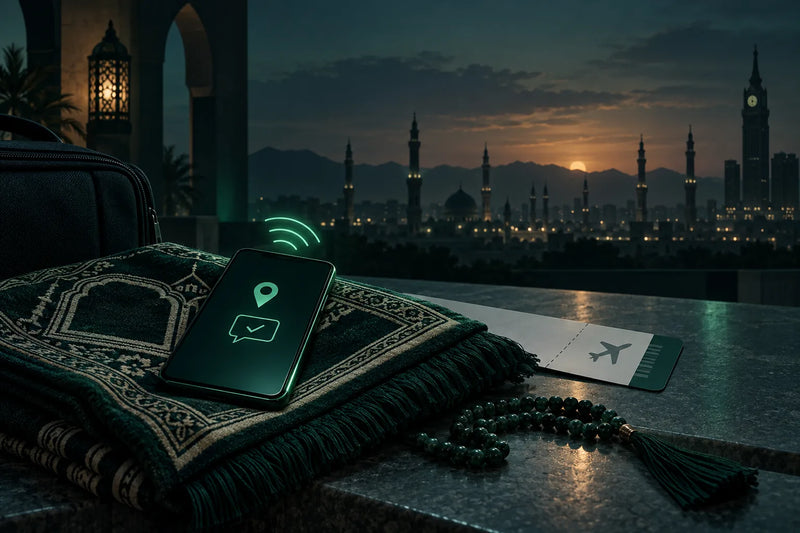
This guide is for pilgrims flying into Jeddah or Madinah who want maps, Nusuk and family chats to work from the first hour. After reading you will know what to set up at home, what a travel eSIM can and cannot do, and when a local Saudi SIM still makes sense.
Do you need a Saudi SIM card for Umrah?
Most pilgrims do not need a Saudi SIM card for Umrah. A data eSIM covers maps, Nusuk, group chats and WhatsApp calls home. A local Saudi SIM is only worth it if you need a +966 number, for example for delivery apps or local calls.
The decision comes down to three parts:
- At home: do everything that needs an SMS code (your Nusuk account, ride apps) while your own SIM still receives texts.
- In Makkah and Madinah: use a data eSIM that needs no registration.
- All the time: keep your home SIM switched on as the second line for codes and calls.
Simbye's Saudi Arabia eSIM connects to STC, with plans from 3,95€. After payment it arrives by email within minutes with an install link and a QR code, and it also appears in the Simbye app. There is no contract and no ID upload.
A Saudi SIM or a local operator's eSIM works differently. The regulator CST requires an identity check: passport, visa or border number, usually a fingerprint in a shop. A travel eSIM is a roaming connection and does not fall under that rule. If you wonder how a data eSIM relates to your phone number, read Does an eSIM give you a phone number?
Does a travel eSIM work in Makkah and Madinah?
Yes. Simbye's Saudi Arabia eSIM uses the STC network with 4G/LTE, and 5G where STC already offers it. It works wherever STC has coverage, including Makkah and Madinah. It is data only: no Saudi number, no calls and no SMS.
What you get with Simbye's Saudi Arabia eSIM:
- Network: STC. The product page lists a network test of 105 Mbit/s download, 16 Mbit/s upload and 63 ms. This is a measured value, not a promised speed.
- Nothing to set up: the APN comes with the eSIM, and one tap on the email link or a scan of the QR code is enough.
- Hotspot is allowed, for a laptop, tablet or a travel companion.
- Calls and texts are not included. WhatsApp calls run over the data.
- Your own number stays in the phone and stays reachable.
- No contract: the plan ends by itself. It is prepaid, so nothing is billed afterwards, unlike home roaming, which your operator bills.
The plans are 1GB for 7 days, and 3GB, 5GB, 10GB and 20GB for 30 days. For most Simbye data plans the validity starts when the eSIM first connects to a network at the destination; the product page has the details. To check that your phone supports eSIM, use the eSIM compatible devices list.
Saudi SIM or travel eSIM: which is better for your Umrah?
The travel eSIM wins on setup before departure, no ID or fingerprint check and keeping your home number active. A local Saudi SIM wins if you need a +966 number for local calls or for apps that only accept Saudi numbers.
| Feature | Simbye Saudi Arabia eSIM (data) | Local Saudi SIM (STC etc.) | Home roaming |
|---|---|---|---|
| Set up at home before the flight | ✓ Install over Wi-Fi, QR code or link | ✗ Bought in a shop or kiosk in Saudi Arabia | ✓ Nothing to do, but check your operator's rates |
| No ID or fingerprint check | ✓ None, no registration, no Absher account | ✗ Passport, visa or border number, usually fingerprint | ✓ None |
| Saudi +966 number | ✗ Data only | ✓ Yes | ✗ No |
| Codes for apps that require +966 (delivery apps) | ✗ Usually not possible | ✓ Yes | ✗ No |
| Home number reachable on the second line | ✓ Yes, home SIM stays in the phone | Depends on whether your phone has room for a second SIM | ✓ Yes |
| Hotspot for family | ✓ Allowed for a phone, tablet or laptop | Check the operator's plan | Check your operator |
| Network | STC, 4G/LTE and 5G where available | Depends on the operator | Partner network chosen by your operator |
| No contract, no bill afterwards | ✓ Prepaid, plan ends by itself | Prepaid visitor packages exist (check stc.com.sa) | ✗ Billed afterwards by your operator |
| Price | From 3,95€ | Check the operator | Check your operator |
STC's visitor SIM is sold at STC branches, kiosks and authorised shops, according to an older Gulf News guide from 2023, so check stc.com.sa for current packages and prices. For home roaming, your operator bills you, so check its rates before you fly.
A practical setup: the travel eSIM for data and your home SIM for codes and calls.
Can you register on Nusuk with your home phone number?
Register on Nusuk at home, with the phone number you normally use, while that SIM can still receive SMS codes. Umrah permits are booked in the Nusuk app: you log in, choose the permit service and pick an available date and time, as the Ministry of Hajj and Umrah service page describes.
We cannot confirm that Nusuk sends its code to every country's numbers. If no code arrives, do not wait until you land: contact Nusuk via Care@haj.gov.sa before you travel.
Registration on the Nusuk Umrah platform is done fully online, with separate paths for citizens, residents and visitors (my.gov.sa registration service). The Umrah permit service page lists Care@haj.gov.sa as the contact email. Keep your home SIM in the phone during the trip.
A visit to the Rawdah at the Prophet's Mosque is booked as a timed permit in Nusuk. Slots can fill up, so many visitors book before reaching Madinah. Check the app for what is available.
The U.S. Embassy warns about scams that sell fake Umrah or Hajj permits outside Nusuk, so book only in Nusuk. Permit and visa rules change: check Nusuk and the Ministry of Hajj and Umrah before you book. This is not visa advice.
How do you keep your home number and WhatsApp during Umrah?
Keep your home SIM switched on as the second line with its data roaming off, and set the travel eSIM as your data line. Your home number stays reachable for SMS codes, and WhatsApp keeps running on your usual account over the eSIM's data.
WhatsApp is tied to your account number, not to the SIM that provides the data, so you change nothing in the app. For more detail, see our guide on using WhatsApp abroad.
Set up your phone for Umrah in seven steps:
- Check your phone. Make sure it supports eSIM and is unlocked. The compatible devices page helps.
- Create your accounts at home. Set up Nusuk and your other apps (Careem, Uber, Tawakkalna) while your own SIM still receives SMS codes.
- Buy the eSIM. The Saudi Arabia eSIM arrives by email within minutes with an install link and QR code, and it also appears in the Simbye app.
- Install it over Wi-Fi. Do this at home and label it, for example "Umrah". For most data plans the validity starts only when the eSIM first connects at the destination; check the product page.
- Before landing in Jeddah or Madinah, set the travel eSIM as the mobile data line and switch data roaming on for the travel eSIM only.
- Keep your home SIM on for calls and SMS, with its data roaming off, so your number stays reachable for codes.
- After landing, switch off flight mode and wait for STC to appear. If nothing connects, check that the travel line is on and that data roaming is on for it. Then select STC manually (turn off automatic network selection and wait 1–2 minutes for the list) and contact Simbye support if needed.
How much data do you need for 10–14 days of Umrah?
For 10–14 days of Umrah, a 30-day plan fits: 5GB for maps, messages and group chats, 10GB if you video-call family daily, 20GB if you share data with family members via hotspot. Simbye's Saudi plans run from 1GB for 7 days to 20GB for 30 days.
| Your use | Plan | From |
|---|---|---|
| Short stay of a few days | 1GB for 7 days, or 3GB for 30 days | 3,95€ / 8,95€ |
| Light: Nusuk, maps, WhatsApp messages, group chats, prayer-time apps | 5GB for 30 days | 16,95€ |
| Regular: plus daily video calls home and photo sharing | 10GB for 30 days | 19,95€ |
| Family sharing: parents or spouse on one plan via hotspot | 20GB for 30 days | 29,95€ |
These are rough guidelines; your real use depends on how much you stream and video-call. Two habits save data: download offline maps of Makkah and Madinah, and set your group chats to download media only on the hotel Wi-Fi. Hotspot is allowed on the Saudi eSIM, so one larger plan can serve a family. For detailed usage figures, see how much data you need when travelling.
Is the mobile signal reliable in the Haram during Ramadan?
Mobile data around the Haram can slow down when crowds peak, for example on Fridays and in the last ten nights of Ramadan, so prepare before you go in. Ramadan 2027 is expected to start around 8 February 2027, with Eid al-Fitr expected on 9 March 2027 according to the Umm al-Qura calendar. Both dates depend on the moon sighting and can shift by a day.
The regulator CST announced that communications services were ready for the Hajj season (Saudi Press Agency, 20 May 2026). That announcement was about Hajj, not Umrah, but it shows the networks plan for big crowds.
- Agree on a fixed meeting point with your group in case messages arrive late.
- Send an "I am safe" message when you have signal. The U.S. Embassy advises using social media to tell family you are safe in an emergency.
- Keep your hotel address saved offline.
- Do not photograph or film people who are praying, or anyone without their permission. The U.S. Embassy says this is prohibited and can lead to fines or the device being taken.
What if your Umrah trip includes Dubai, Istanbul or Amman?
If your route includes a stopover, Simbye's Middle East eSIM covers Saudi Arabia on Mobily and Zain, plus the UAE, Qatar, Jordan, Türkiye and other countries in one plan, from 11,95€.
| Country | Networks |
|---|---|
| Saudi Arabia | Mobily · Zain |
| United Arab Emirates | Etisalat |
| Türkiye | Turkcell |
| Jordan | Zain · Umniah |
| Qatar | ooredoo · Vodafone |
| Bahrain | Zain · STC |
| Kuwait | Zain · Ooredoo |
| Oman | Omantel |
The plan also covers Israel, Armenia and Azerbaijan. The plans are 1GB for 7 days, 3GB for 30 days and 5GB for 30 days. Like the Saudi eSIM, it is data only.
Egypt is not included, nor are Lebanon, Iraq, Iran, Syria or Cyprus. If you combine Umrah with Cairo, you need the separate Egypt eSIM.
How to choose: for a Saudi-only trip with heavy data use, take the Saudi eSIM with plans up to 20GB. For a multi-country route with moderate use, the Middle East eSIM is the simpler choice.
See the Saudi Arabia eSIMMiddle East eSIM
What should be on your Umrah phone checklist before you leave?
Before departure: install the eSIM over Wi-Fi, create your Nusuk account, book permits in Nusuk, save 911 for emergencies and the Nusuk Pilgrims Care Center numbers (1966 inside the Kingdom, +966-92-000-2814 from anywhere), download offline maps and decide who shares whose hotspot.
- ✓ eSIM installed and labelled, for example "Umrah".
- ✓ Nusuk account created with your home number.
- ✓ Umrah permit, and Rawdah permit if you plan a visit, booked only in Nusuk.
- ✓ Careem, Uber and Tawakkalna accounts created at home.
- ✓ Saved: 911 for all emergencies and the Nusuk Pilgrims Care Center (1966 inside the Kingdom, +966-92-000-2814 from anywhere), as listed by the U.S. Embassy.
- ✓ Offline maps and your hotel address saved.
- ✓ Power bank packed.
- ✓ Family hotspot plan agreed.
- ✓ Phone etiquette at the Haram in mind.
These emergency and care numbers are voice numbers, and the Saudi Arabia eSIM is data only, so it cannot call them. For voice calls use your home line (check your operator's rates) or a local SIM.
Ready to set up? Get the Saudi Arabia eSIM before you fly.
Umrah SIM and eSIM: frequently asked questions
Do I need my passport and a fingerprint to buy a SIM at Jeddah or Madinah airport?
For a Saudi SIM or a local operator eSIM, yes: an identity check with passport, visa or border number and usually a fingerprint is required. Simbye's Saudi Arabia eSIM is a roaming connection, so you register nowhere and show no ID.
Can I share my eSIM data with my parents or spouse during Umrah?
Yes. Hotspot is allowed on Simbye's Saudi Arabia eSIM, so one phone can share its data with a companion's phone or tablet. Pick a larger plan such as 20GB if several people share.
Can I call 1966 or other Saudi numbers with the Saudi Arabia eSIM?
No. The Saudi Arabia eSIM is data only and has no calls or SMS; WhatsApp calls work over its data. For normal voice calls use your home line (your operator's roaming rates apply) or a local SIM.
Should I install the eSIM before the flight or after landing in Saudi Arabia?
Install it at home over Wi-Fi so you are online as soon as you land. For most Simbye data plans the validity starts only when the eSIM first connects at the destination; the product page has the details.
Can I set up delivery apps with a travel eSIM in Saudi Arabia?
Apps that insist on a Saudi +966 number for their verification code, especially delivery apps, usually cannot be set up on a data-only eSIM. Create the accounts you can at home with your own number, or buy a local SIM if you need a +966 number.
Can I do Umrah without a Nusuk permit?
Umrah permits are booked in the Nusuk app, so plan to get yours there before you go to Makkah. The U.S. Embassy warns about scams selling fake permits outside Nusuk, so book only in Nusuk and check the current rules with the Ministry of Hajj and Umrah before you travel.
What should I do if my eSIM shows no network in Makkah?
Check that the travel line is switched on and that data roaming is on for it, then select STC manually: turn off automatic network selection, wait 1–2 minutes for the list and choose STC. If it still does not connect, contact Simbye support instead of deleting the eSIM.

Comments (0)
Leave a Comment